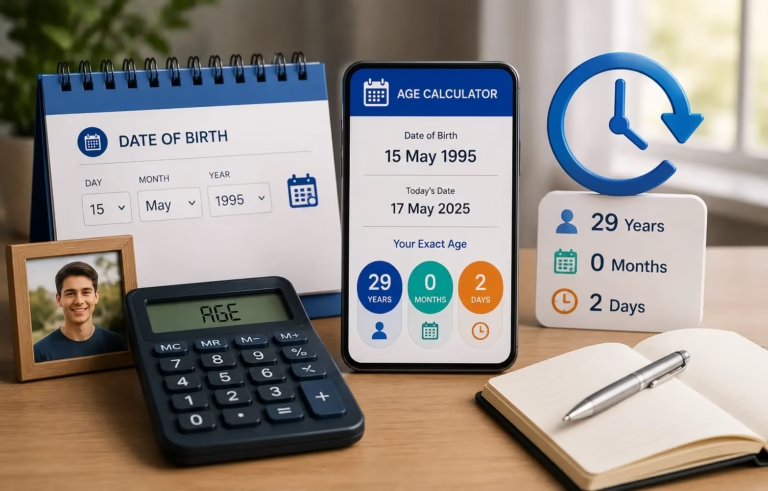

How to Calculate Age from Date of Birth Manually
Have you ever needed to find someone’s exact age but had no tool nearby? Or maybe you wanted to understand the real process behind age calculation, not just the final number?
Calculating age manually is a simple skill that anyone can learn. Once you know the steps, you will never feel confused again. And when you need speed and precision, a chronological age calculator can give you the exact result in seconds. But learning the manual method first helps you understand exactly how age works from years down to the last day.
What Does It Mean to Calculate Age Manually?
Calculating age manually means finding a person’s exact age using only two things: their date of birth and a target date, without using any app or tool.
Most people think age calculation is just subtracting the birth year from the current year. That gives you a rough number, but it is not the full picture. A complete and accurate age always includes three parts.
The Three Parts of Age
The first part is years, which tells you how many full years have passed since the person was born. The second part is months, which count the extra months after the last birthday. The third part is days, which shows the remaining days after the last full month is counted.
For example, if someone was born on July 10, 2000, and today is April 2, 2026, their age is not simply 26 years. The correct answer is 25 years, 8 months, and 23 days.
This level of detail matters in schools, hospitals, legal documents, and government records. That is why a proper chronological age calculator always displays results in years, months, and days — not just a single number.
What You Need Before You Start
Before you begin the manual calculation, make sure you have two pieces of information ready.
Date of Birth
This is your starting point. Always use the exact day, month, and year. Even a one-day error can affect the final result, especially when calculating age for medical records or official documents.
Target Date
This is usually today’s date, but it can be any date — past or future. For example, you might need to know someone’s age on the date of a school exam, a job application, or a medical checkup.
Once both dates are ready, the calculation becomes straightforward. Keep a pen and paper nearby if you are doing this manually — writing each step clearly helps you avoid mistakes.
Step-by-Step Method to Calculate Age from Date of Birth
Here is the exact method used by a chronological age calculator, now explained as simple manual steps you can follow yourself.
Step 1: Subtract the Birth Year from the Current Year
Start with the years. Simply subtract the birth year from the current year.
Current Year minus Birth Year equals Rough Age in Years.
Using our example: 2026 minus 2000 equals 26 years. But this is just a starting point. You still need to check the month and day before confirming this number.
Step 2: Check If the Birthday Has Passed This Year
Now compare the birth month and day with today’s month and day.
If the birthday has already passed this year, keep the number as it is. If the birthday has not passed yet this year, subtract 1 from the year count.
In our example, the person was born on July 10. Today is April 2, 2026. The birthday has not come yet in 2026, so the age becomes 25 years, not 26.
Step 3: Calculate the Remaining Months
Count how many full months have passed since the last birthday.
The last birthday was July 10, 2025. Today is April 2, 2026. Counting from July to March gives us 8 full months — August, September, October, November, December, January, February, and March.
Step 4: Calculate the Remaining Days
Now count the days from the last full month to today.
The last full month ended on March 10. Today is April 2. The remaining days are 23 days.
The final result is 25 years, 8 months, and 23 days. This is exactly how an age calculator works — just much faster.
How to Calculate Age in Years, Months, and Days
Many people stop at the year when calculating age. But for children, medical records, and official documents, you need the full breakdown — years, months, and days together.
The Borrowing Rule
The most important rule to understand is borrowing. This happens when the current day number is smaller than the birth day number.
For example, if the birth date is March 15 and today is April 10, you cannot subtract 15 from 10. So you borrow from March, which has 31 days. The calculation becomes 10 plus 31 minus 15, which equals 26 days. You then subtract 1 from the month count.
This borrowing rule is what makes manual calculation tricky for most people. It is also the main reason why many people prefer using an online age calculator — it handles all the borrowing automatically without any risk of error.
Key Reference Points
When calculating age manually, always remember that years are found by subtracting the birth year from the current year, with a birthday check. Months are found by counting from the last birthday month to the current month. Days are found by subtracting the birth day from the current day, borrowing from the previous month if needed.
How to Handle Leap Years in Age Calculation
Leap years add an extra layer of complexity to manual age calculation. Here is what you need to know to handle them correctly.
What Is a Leap Year
A leap year has 366 days instead of 365. February gets an extra day, which is February 29. Leap years follow a four-year cycle — 2000, 2004, 2008, and so on up to 2024, 2028, and beyond.
Leap Year Birthdays
If a person is born on February 29, they only have a real calendar birthday every four years. In non-leap years, most systems treat their birthday as either February 28 or March 1, depending on the method used.
How It Affects Your Calculation
For everyone else, leap years matter when you are counting total days between two dates. A year that includes February 29 has one extra day, which can shift your day count slightly if you are not careful.
The simple rule to follow is this: when your date range crosses a leap year, add 366 days for that year instead of 365. A good chronological age calculator always handles this automatically, which is one strong reason to use an online tool for precise calculations.
Manual Age Calculation Examples
Here are three real examples that show exactly how the method works in different situations.
Example One — Simple Case Where Birthday Has Passed
Date of Birth is March 5, 1995. Today’s Date is April 2, 2026. The birthday in 2026 was March 5, which has already passed.
Years: 2026 minus 1995 equals 31 years. Months: From March 5 to April 2 is less than one full month, so months equal 0. Days: April 2 minus March 5 equals 28 days.
Final Age: 31 years, 0 months, 28 days.
Example Two — Birthday Has Not Yet Passed
Date of Birth is July 20, 2000. Today’s Date is April 2, 2026. The birthday in 2026 is July 20, which has not come yet.
Years: 2026 minus 2000 minus 1 equals 25 years. Months: From July 2025 to March 2026 equals 8 full months. Days: 2 minus 20 is negative, so borrow March’s 31 days. The result is 2 plus 31 minus 20 equals 13 days.
Final Age: 25 years, 8 months, 13 days.
Example Three — Leap Year Birthday
Date of Birth is February 29, 2000. Today’s Date is April 2, 2026. Since 2026 is not a leap year, February 29 does not exist, so the birthday is counted as February 28.
Years: 2026 minus 2000 equals 26 years. Months: February to April equals 1 full month. Days: April 2 minus February 28 equals approximately 3 days.
Final Age: 26 years, 1 month, 3 days.
Common Mistakes to Avoid
Even small errors can give you the wrong age. Here are the most common mistakes people make when calculating age manually.
Not Checking If the Birthday Has Passed
Many people subtract the years without checking the month and day. Always confirm whether the birthday has already occurred this year before finalizing the year count.
Stopping at Years Only
Stopping at years and ignoring months and days is not enough for official or medical records. Always include all three parts for a complete result.
Skipping the Leap Year Adjustment
Ignoring the extra day in February during a leap year can shift your day count off by one. Always check whether a leap year falls within your calculation range.
Using the Wrong Date Format
Mixing up the MM/DD/YYYY format with DD/MM/YYYY is a very common mistake, especially when working with international dates. Always confirm the format before entering any dates.
Treating the Current Month as Complete
If today’s day number is smaller than the birth day number, the current month is not yet complete. Always apply the borrowing rule in this situation to get the correct day count.
When to Use a Chronological Age Calculator Instead
Manual calculation is a great skill to have. But it takes focus, and one small mistake can change the entire result.
That is exactly where an online age calculator saves you time and effort.
Situations Where a Tool Is Better
When you need results instantly, a chronological age calculator gives you the answer in one click. When accuracy is critical — for medical records, legal forms, or school admissions — a tool eliminates all risk of human error. When you are calculating age for an infant where months and days matter most, a calculator gives you the precise breakdown without any guesswork. When a leap year birthday is involved, the tool adjusts automatically. When you need an age on a past or future date rather than just today, an age calculator handles it without any extra steps.
Our age calculator does all of this instantly. Just enter the date of birth and the target date, and get the exact age in years, months, and days — no math, no errors, no stress.
Try our free chronological age calculator now and get your exact age in seconds.